Boost Your Productivity: The Ultimate Guide to Using an Online Kanban Tool
Improve Your Productivity: The Ultimate Guide to Using an Online Kanban Tool
In today's fast-paced digital world, managing tasks efficiently is more critical than ever. Managing a complex software development project, planning a large marketing campaign or simply organising your daily personal to-do list can quickly become overwhelming when you try to keep track of the moving parts. Enter the Kanban system, a highly visual, incredibly effective way to manage work.
This idea has been around for decades but needs the right software to make it work in the fast-moving modern digital workspace. But to get the most out of it and make your workflow easier you need a good online kanban tool.
What is a Kanban Board?
Kanban is a Japanese word that means visual board or signboard. It was born in the late 1940s on the manufacturing floors of Toyota. The core philosophy of the Kanban framework is beautifully simple: visualise your work, limit your work in progress (WIP), and maximise your efficiency (often called “flow”).
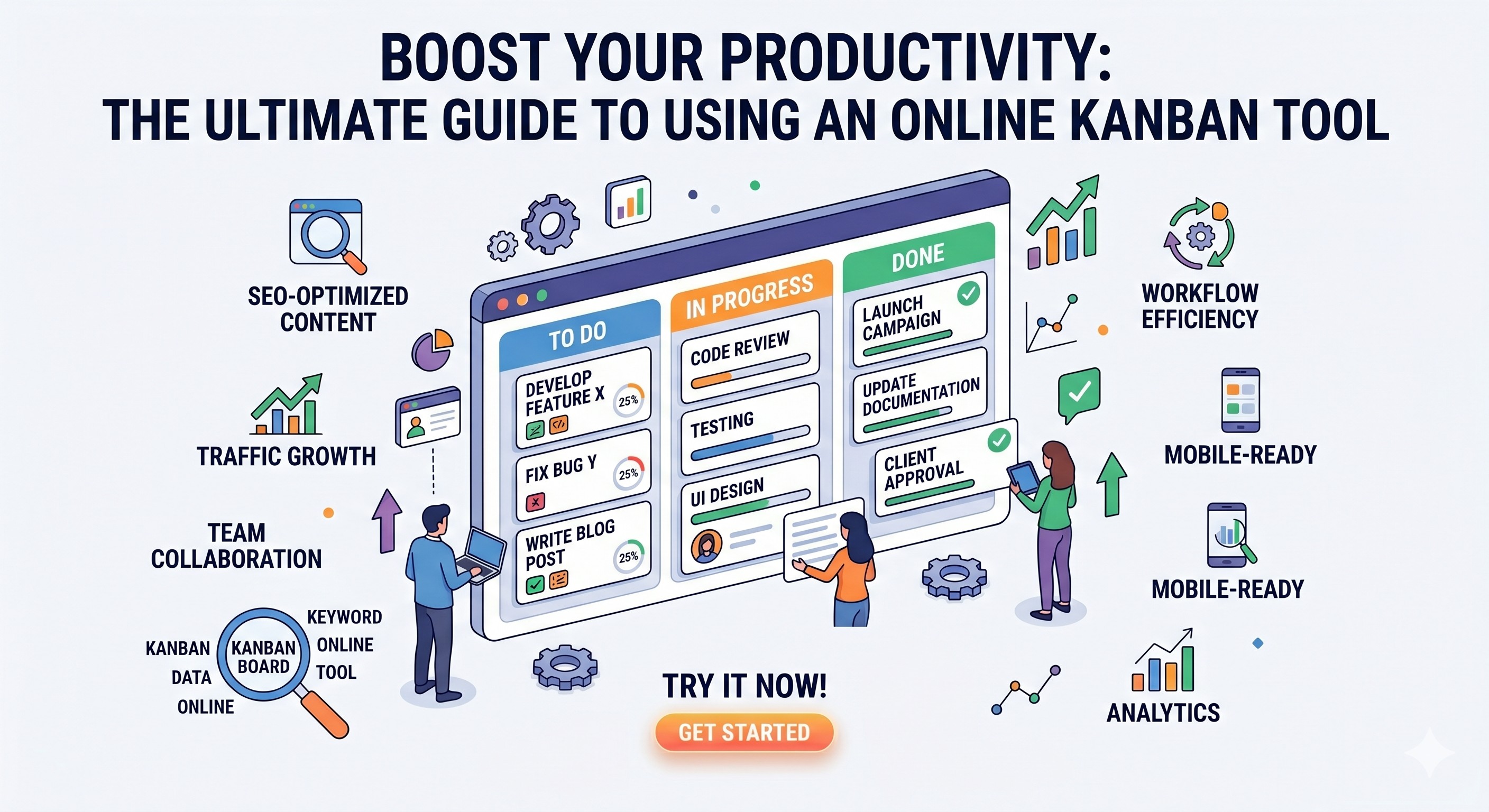
The traditional Kanban board is a whiteboard with vertical columns where you move around physical sticky notes. These columns usually represent the different stages of a process such as “To Do”, “In Progress” and “Done”. Each card represents a single task and moves from left to right as it is worked on.
Why You Need A Kanban Tool Online In Today’s Workspace
Physical boards are great for teams who work in the exact same room. But the modern workplace is increasingly hybrid, remote and digital-first. An online Kanban board takes the proven Agile methodology of physical boards and supercharges it with digital power.
This is why switching to a digital task management solution for modern productivity is a must:
- Access from Anywhere: An online tool travels with you, unlike a physical whiteboard left in an office. Whatever you’re working on, you can update your tasks, move cards and check your progress from your laptop, tablet or smartphone.
- Zero Clutter Sticky notes fall off, get lost or become illegible. A digital board is completely scalable, completely organised and your desk is completely paper free.
- Real-time Updates: As a task moves to a new column, the visual workflow reflects the current status. You don't have to wonder what stage a particular project is in.
- Agile Flexibility Digital columns and boards can be re-arranged in seconds without the hassle of erasing whiteboards or rewriting cards.
Meet Toolloom Online Kanban Board
When it comes to finding the right digital board, simplicity, speed and user experience are everything. You don’t always need a bloated, complex enterprise software suite to organise your day. And that is exactly where the Kanban Tool Online excels.
- Visual Clarity: The tool is minimalistic and user-friendly, keeping your tasks front and center. This reduces cognitive load and allows you to focus on the execution.
- This tool gives you a clean, intuitive and highly responsive interface in your web browser, and it's made for professionals and people who want to increase their daily output.
- Easy To Get Started: You can start creating tasks and columns right away and you don’t have to go through endless configuration menus.
- Flexible Workflows: Whether you need a simple 3-column process or a complex 6-step pipeline, the ToolLoom interface easily adapts to your needs.
How To Use Kanban To Be The Most Productive
While an online Kanban tool is half the equation, the real magic happens in using the methodology correctly. Here’s your step-by-step guide on how to implement Agile project management with your new digital board:
Step 1: Map Your Real-World Workflow
Don’t try to do too much on day one. Start with your current, realistic workflow. A natural starting point is with the classic "To Do," "Doing," and "Done" setup. Once you get the hang of the system, you can start adding special columns like “Under Review,” “Awaiting Client Feedback,” or “Ready for Publishing.”
Step 2: Limit Work In Progress (WIP)
That’s the secret sauce of Kanban, at its best. A WIP limit is the maximum amount of tasks that can be in an active column at any given time. Say you set a WIP limit of 3 on your “In Progress” column. You literally cannot start working on a fourth item until you move one of the three to “Done.” This principle makes you finish what you start, drastically cutting down on context switching and mental burnout.
Step 3: Keep monitoring and optimising
Check your online board regularly, please. Is the "Review" column getting crammed with tasks? That’s a choke point. If you can visualise where work gets stuck, you can change your process to remove the blockage, so work flows smoothly and continuously.
Who Should Use an Online Kanban Board?
- The magic of Kanban is that it can be applied universally to any industry and any personal goal.
- Developers & IT Professionals Ideal for keeping track of bug fixes, feature requests and software development sprints.
- Content Creators & SEO Managers: Great for editorial calendar management, SEO content pipeline management, digital marketing campaigns.
- Students & Teachers: Ideal for structuring extensive research papers, dissecting tasks, and keeping track of study plans.
- Entrepreneurs and Small Business Owners: Critical for daily operations, customer inquiry handling, and product launch management.
Conclusion: Begin Visualising Your Success Today
Adopting a visual workflow will dramatically change your task management approach. An online Kanban board is a must-have for everyone who wants to increase their output without increasing their stress by reducing mental clutter, visualising workflow bottlenecks and building a habit of continuous delivery.
Want to take full control of your tasks and boost your daily productivity? Visit the Kanban Tool Online and start building your first digital board today. Get the clarity, focus and efficiency of real task management, all for free and straight from your browser.